CLI Reference
The aibutler binary is more than a chat REPL. It’s the full management
surface for the runtime: vault, configuration, costs, agents, schedules,
backups, plugins, MCP, voice, RBAC, and GDPR operations all live behind
subcommands. This page is the live, exhaustive reference — every command,
what it does, and an example of its actual output.
Quick Start
Section titled “Quick Start”aibutler # Start AI Butler (channels + scheduler)aibutler help # Show all commandsaibutler version # Print version
Commands
Section titled “Commands”version
Section titled “version”Print the running version. Useful for bug reports.
$ aibutler versionaibutler v0.1.0setup and config show
Section titled “setup and config show”setup shows the current configuration along with the path to your
config file (typically ~/.aibutler/config.yaml). config show is the
same idea but groups output by the Three-Tier
Configuration layers (Settings / Configurations /
Options).

To change anything, edit the config file directly:
$EDITOR ~/.aibutler/config.yamlstart (also: bare aibutler)
Section titled “start (also: bare aibutler)”Start AI Butler with all enabled channels, the scheduler, and the agent
loop. Bind address and port come from configurations.web — defaults
to localhost:3377.
$ aibutler startAI Butler v0.1.0 starting...AI provider connected: Claude (claude-sonnet-4-6)Scheduler started.Channel started: webchatLAN discovery started.
WebChat: http://localhost:3377Dashboard: http://localhost:3377/api/dashboard/stats
Ready. Press Ctrl+C to stop.Interactive terminal chat with streaming responses. See Terminal for the slash-command surface and multi-line input details.
resume [ID]
Section titled “resume [ID]”Resume a previous session. With no ID, opens an interactive picker; with an ID, jumps straight back into that session’s history.
vault and auth
Section titled “vault and auth”vault is for storing credentials in your OS keyring (Keychain,
GNOME Keyring, Windows Credential Manager). auth is the read-side
companion (list, status, revoke).
aibutler vault set <key> <value>     # Storeaibutler vault get <key>             # Read (echoes the value)aibutler vault list                  # List stored keys (no values)aibutler vault delete <key>          # Remove
aibutler auth list                   # Same as vault listaibutler auth status                 # Health check on the keyringaibutler auth revoke <key>           # Same as vault delete
Common keys to set up first:
aibutler vault set anthropic_api_key sk-ant-...aibutler vault set openai_api_key sk-...aibutler vault set telegram_bot_token <bot_token>aibutler vault set slack_bot_token xoxb-...Per-model spend tracking with a monthly budget envelope.
aibutler cost status # Current month + remaining + alert levelaibutler cost history # Spend trailaibutler cost breakdown # Per-model breakdown tableaibutler cost strategy # Show current strategyaibutler cost strategy <frugal|balanced|quality>aibutler cost budget # Show current monthly budgetaibutler cost budget <amount-usd>
The Alert field in cost status follows budget thresholds — info at
50%, warn at 75%, critical at 90%, over past 100%. Local Ollama
models always cost $0 because no remote API is being charged.
mode [name]
Section titled “mode [name]”Show or switch the agent mode for the current installation.
aibutler mode # Show current modeaibutler mode auto # Switch to auto (default)aibutler mode single # Force single-agent modeaibutler mode mission # Mission mode: long-running goals with supervisor/worker orchestrationaibutler mode swarm|custom|multi currently downgrades to single with a
log message — enable the beta swarm orchestrator by
setting settings.agent_mode: swarm in config.yaml instead.
Inspect agent runs (each user turn spawns one primary agent, optionally with subagents).
aibutler agent list # Currently running + recentaibutler agent status <id> # Full state for one agentaibutler agent history # Completed runs with cost + durationSkills are model-agnostic prompt+capability bundles loaded into the
context when their trigger keywords match. Edit on disk in
~/.aibutler/skills/, or use the CLI:
aibutler skill listaibutler skill enable <name>aibutler skill disable <name>Two halves: serve AI Butler’s tools to other MCP clients, or list what tools you currently expose.
aibutler mcp tools # List exposed MCP tools (with descriptions)aibutler mcp serve # Run MCP server over stdio (for Claude Desktop, etc.)
To add an external MCP server (e.g. clarifyprompt-mcp, GitHub MCP,
filesystem MCP), edit configurations.mcp.servers in your config —
see Integrate an MCP Server.
plugin
Section titled “plugin”Manage WASM plugins. The runtime is the Extism sandbox; plugins must declare every capability they need.
aibutler plugin install <path-or-url>aibutler plugin listaibutler plugin enable <name>aibutler plugin disable <name>aibutler plugin info <name>aibutler plugin remove <name>eval (beta)
Section titled “eval (beta)”The internal benchmark harness: representative tasks with deterministic checkers, run through the real agent loop in an isolated temp workspace. Use it to judge changes to skills or heuristics by measured deltas instead of impression.
aibutler eval run # Built-in suite, unit mode (deterministic, no model calls)aibutler eval run --live # Same suite against your configured modelaibutler eval run --suite <dir> # A custom suite of task YAML filesaibutler eval list # Recent runs with pass countsaibutler eval compare <base> <cand> # Signed deltas between two runs of the same suiteEvery run records the sha256 of the exact suite content it measured, so
results against different suite versions are visibly non-comparable. The
first published live baseline lives in the repo at docs/eval/BASELINE.md.
skills (beta)
Section titled “skills (beta)”Review self-authored skill proposals. When enabled (opt-in,
skill_synthesis.enabled), successful multi-step work with a verified
outcome gets distilled into a staged skill. Nothing activates itself —
approval is always an explicit human action.
aibutler skills pending # Proposals awaiting reviewaibutler skills show <id> # Print a proposal's full contentaibutler skills approve <id> # Activate it (moves into the live skills dir)aibutler skills reject <id> # Discard itApproved skills carry provenance (version, created-by, source session, a content hash) and every activation lands on the audited change ledger.
memory
Section titled “memory”Direct access to the memory store.
aibutler memory import <format> <file> # Import history: claude | chatgpt | plaintextaibutler memory reindex # Embed memory items missing a vectoraibutler memory digest [type] # Generate a digest now (weekly | topic --topic=X | entity)aibutler memory digests # List existing digestsImports are idempotent (re-importing the same file skips duplicates) and embed imported items in batches so semantic search covers them.
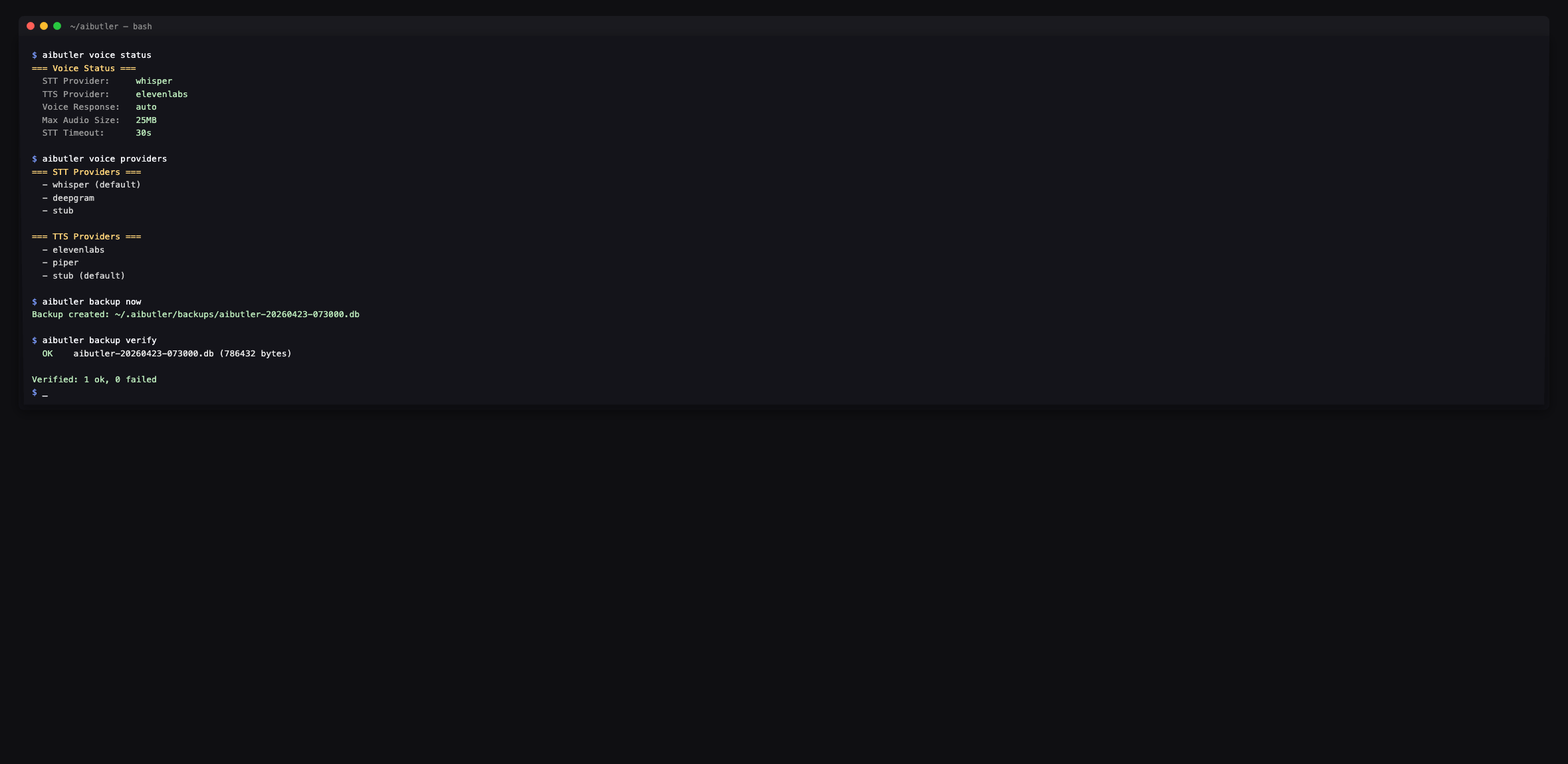
Pipeline status and provider listings. Configuration lives in the config file — this command is read-only.
aibutler voice status # STT + TTS provider + voice response modeaibutler voice providers # List available STT and TTS providersA terminal voice mode (mic capture + playback) is on the roadmap.
backup
Section titled “backup”Local backup management. Backups land at
~/.aibutler/backups/aibutler-YYYYMMDD-HHMMSS.db.
aibutler backup now # Create a fresh snapshotaibutler backup list # All snapshots with size + timestampaibutler backup verify # SQLite integrity check on each snapshotaibutler backup export <path> # Copy current DB to <path>aibutler backup import <path> # Verify a candidate file (you replace the live DB manually)integrity
Section titled “integrity”End-to-end health check: SQLite PRAGMA integrity_check plus a vault
ping. Run after migrations or before publishing a backup.
$ aibutler integrityDatabase integrity... OKVault health... OKRBAC user management (multi-user installs only).
aibutler user create <username> <email> [role] # role: admin | user | viewer | agentaibutler user listaibutler user assign <username> <role>aibutler user roles # Show the permission matrixSingle-user installs don’t need this — the default user is admin
and there’s no auth gate on localhost.
Right-to-erasure operations.
aibutler gdpr delete-user <name> # Remove all data for a useraibutler gdpr export <user_id> # Export everything for a user as JSONaibutler gdpr purge <days> # Purge audit/compliance logs older than <days> daysThe delete-user operation cascades through every table that
references the user (sessions, memories, agent runs, schedules, etc.)
inside a single transaction.
cleanup
Section titled “cleanup”Remove expired sessions (> 7 days idle by default).
aibutler cleanup # Expired sessions onlyaibutler cleanup --all # Everything eligible, including recent sessionsWhere commands store data
Section titled “Where commands store data”All commands operate on ~/.aibutler/:
~/.aibutler/├── config.yaml # Three-tier config — edited by hand├── aibutler.db # SQLite — sessions, memories, agents, schedules, costs├── aibutler.db-wal # Write-ahead log├── aibutler.db-shm # Shared memory├── backups/ # Snapshots from `backup now`├── plugins/ # Installed WASM plugins└── traces/ # MCP and agent traces (when enabled)The vault lives in your OS keyring outside this directory — it’s never written to disk in plaintext.
Programmatic alternatives to CLI scripting
Section titled “Programmatic alternatives to CLI scripting”The CLI is interactive-friendly. For automation, use:
- A2A protocol — REST + SSE for cross-agent delegation
- MCP server mode —
aibutler mcp serveexposes AI Butler as an MCP server for any compatible client - Dashboard JSON endpoints at
http://localhost:3377/api/dashboard/*— read-only, no auth on localhost